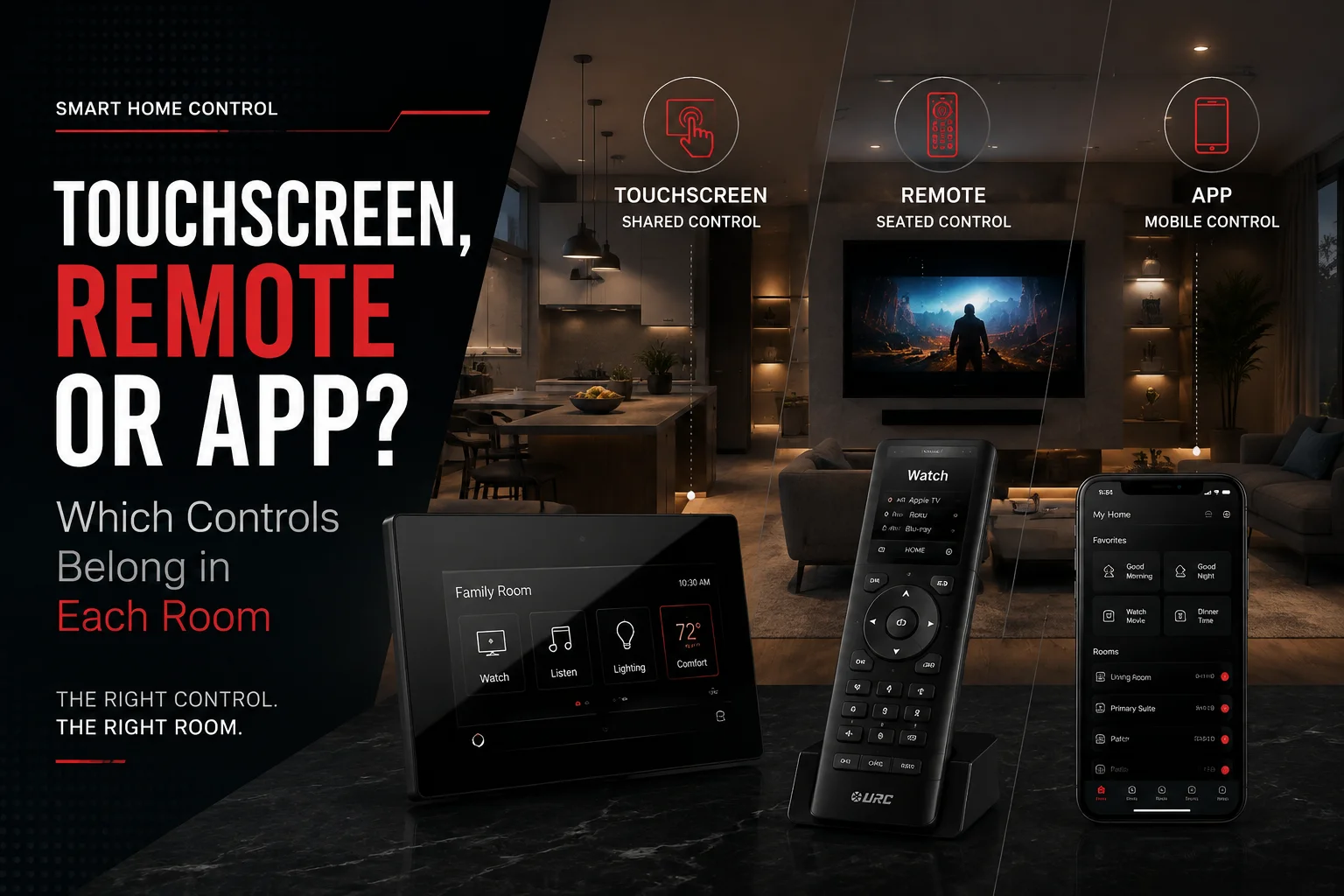
Smart home touchscreen vs app control is not about choosing one winner for the whole house. A touchscreen works best where everyone needs fast shared control. A remote works best where you sit and watch. A phone app works best when control needs to move with you. The right home usually uses all three.
The hidden mistake is treating every room the same.
A $10,000 smart-home system can still feel frustrating if turning off the kitchen lights means finding a phone, unlocking it, opening an app, selecting a room, and hunting through a menu.
The technology may be expensive. The experience still feels cheap.
That is why Home Cinema Center approaches home automation as a control-design problem as much as a technology problem. The company designs and programs home theater, automation, lighting, networking, surveillance, and whole-home audio systems from its Novato location.
Key Takeaways
- Touchscreens belong where several people need the same controls every day.
- Physical remotes still make the most sense in TV rooms and home theaters.
- Phone apps are strongest for personal, mobile, and away-from-home control.
- Keypads often handle simple repeated actions better than either a touchscreen or an app.
Why Does an Expensive Smart Home Still Feel Hard to Use?
Usually, the problem is not a lack of technology.
It is too many steps.
Imagine coming home at night. You want the hallway lights on, the garage closed, the alarm state checked, and the downstairs temperature adjusted.
If those four actions live in four apps, the house is technically connected but not well controlled.
A good automation system should reduce decisions.
URC’s current Total Control platform can bring entertainment, lighting, climate, door locks, cameras, shades, security, and other systems into touchscreens, remotes, keypads, mobile apps, and voice control.
The important part is not that every interface can do everything.
It is deciding what each interface should do in that room.
Smart Home Touchscreen vs App vs Remote: What Is Each One Actually Good At?
Think about ownership.
A touchscreen belongs to the house.
A remote belongs to the room.
A phone belongs to the person.
That distinction solves a surprising number of smart-home control problems.
Touchscreen: Best for Shared Control
A fixed touchscreen is always in a known place.
Nobody has to find a phone, install software, remember an account, or ask the homeowner for access.
Current URC touchscreen models can display lighting, climate, music, cameras, shades, door stations, and other Total Control functions. The TDC-9100, for example, has a 10-inch screen, camera, microphone, intercom support, live surveillance-camera views, Wi-Fi, Ethernet, and PoE+ installation options.
That makes a touchscreen valuable when a room needs information plus control, not just one or two buttons.
Remote: Best for Seated Entertainment
A phone can change volume.
That does not mean it is pleasant to use for volume every night.
When you are watching TV, physical buttons matter. You can mute, pause, adjust volume, and move through menus without looking away from the screen.
URC’s current TRC-1480 combines a 2.4-inch touchscreen with a backlit physical keypad and can control TVs, music, lighting, cameras, locks, thermostats, shades, and other Total Control devices.
The remote is not old-fashioned.
It is purpose-built.
Phone App: Best for Personal and Mobile Control
A phone wins when you move.
You can adjust the patio music, check a camera while away, change the thermostat before coming home, or control another property without walking to a wall panel.
URC’s Total Control 2.0 mobile app was updated on July 24, 2026 and supports entertainment, music, lighting, temperature, security, surveillance, geofencing, scheduling, and systems with up to 32 zones.
That is a strong tool.
It is still a poor substitute for every switch, remote, and shared control point in the house.
Quick Comparison: Which Control Fits Which Job?

| Control | Best Use | Weak Point | Where It Usually Fits |
| Touchscreen | Shared control, cameras, whole-home status, scenes | Costs more and can be unnecessary | Kitchen, main entry, primary suite, security area |
| Remote | TV, streaming, volume, media scenes | Not designed for away-from-home use | Family room, media room, theater |
| Phone app | Personal control, travel, patios, remote access | Depends on a personal phone | Anywhere as a secondary control |
| Keypad | Fast repeated actions | Limited detailed information | Entries, hallways, bedrooms, kitchens |
| Voice | Simple hands-free commands | Poor for complex or private tasks | Kitchens, bedrooms, shared spaces |
Use the Shared–Seated–Mobile Rule
Before choosing hardware, ask how the room is used.
Shared = Touchscreen
If several people need the same information or controls, a fixed screen makes sense.
Seated = Remote
If people usually control the room while sitting in front of a TV, use a remote.
Mobile = App
If control needs to follow the person around the property or outside the home, use the phone.
Then use keypads for actions that should happen with one press.
This is much better than starting with, “How many touchscreens can we fit into the quote?”
Which Smart-Home Controls Should Go in the Kitchen?
Best Mix: Touchscreen + Keypad + App
The kitchen is one of the strongest locations for a shared touchscreen because several systems often come together there.
You may want to:
- Change music
- Check the front-door camera
- Adjust lighting scenes
- Lower shades
- Change temperature
- See whether a door is locked
- Trigger an Away or Goodnight scene
These are shared actions.
A wall-mounted or tabletop touchscreen can handle the deeper control while a keypad takes care of everyday commands such as Kitchen On, Cooking, Entertain, and All Off.
The phone remains useful when you walk onto the patio or leave the house.
The goal is not to make the kitchen more technological.
It is to stop everyone from asking, “Where is the phone that controls the lights?”
What Should Go in the Family Room?
Best Mix: Remote + App + Optional Touchscreen
If a TV anchors the room, start with the remote.
Volume, pause, mute, streaming navigation, source selection, and lighting scenes should happen without forcing you to look at another screen.
A touchscreen becomes useful when the family room doubles as a central house-control location. It may show cameras, doors, whole-home music, climate, or several lighting zones.
If those deeper functions are rarely used there, do not add the screen simply because the room is important.
Home Cinema Center’s URC Total Control service combines entertainment with thermostats, locks, cameras, shades, and lighting, so the control layout can follow the room rather than forcing separate device apps.
What Is Best for a Dedicated Home Theater?
Best Mix: Physical Remote + Automated Scenes
A home theater is one of the clearest cases where the phone should not be the main controller.
Imagine the movie is too loud.
You should not need to:
- Find your phone.
- Wake the screen.
- Unlock it.
- Open an app.
- Find the theater.
- Find the volume control.
You should feel the volume button in the dark.
A good theater remote can also trigger lighting, source, audio, and startup or shutdown scenes.
The deeper settings can stay in the app or a secondary touchscreen.
Home Cinema Center’s home theater design and installation service already combines AV design, calibration, wiring, and easy system operation, which makes the control method part of the theater experience rather than an afterthought.
What Should Go at the Main Entry?
Best Mix: Keypad + Touchscreen
The entry is about transitions.
You arrive.
You leave.
You put the house to sleep.
That means the most useful commands are usually things such as:
Welcome Home. Away. All Off. Lock Doors. Garage. Cameras.
If the entry only needs three simple commands, use a keypad.
If you also want camera feeds, garage status, alarm information, multiple lighting zones, door control, or whole-house status, add a touchscreen.
URC’s June 2026 myQ integration shows how this approach is expanding. Garage doors, gates, lighting, security, and other events can now work together in Total Control macros such as an Away scene. The same information can appear across remotes, wall screens, tabletop controllers, and mobile apps.
What Belongs in the Primary Bedroom?
Best Mix: Keypad + App + Optional Bedside Touchscreen
The bedroom needs fast actions more than impressive hardware.
Goodnight should be simple.
One button might lower shades, turn off downstairs lights, adjust temperature, stop music, and change security-related settings.
If the primary suite also includes TV, music, cameras, climate, several lighting scenes, and shades, a bedside touchscreen can earn its place.
If not, a good keypad plus the phone may be cleaner.
The question is not whether a touchscreen would look expensive.
The question is whether you would use it every night.
What About Guest Bedrooms?
Best Mix: Simple Keypad + Remote if There Is a TV
Guest controls should be obvious.
Guests should not need your app login.
They also should not see every camera, garage door, thermostat, lock, and music zone in the home.
Give them what the room needs:
Lights. Shades. Temperature. TV. Maybe music.
This is one place where less control often creates a better experience.
Home Office Controls
Best Mix: Keypad + App
A home office often needs only a few frequent actions:
Work lighting.
Shade position.
Temperature.
Music.
Video-call scene.
A keypad handles the routine actions. The phone can handle less common adjustments.
A touchscreen makes more sense when the office also serves as a house-management or security station.
Patio and Outdoor Areas
Best Mix: App + Keypad Near the Door
The phone works well outdoors because the user is already moving.
It can adjust music, outdoor TVs, landscape lighting, shades, or other connected systems without a dedicated screen at every seating area.
A keypad near the transition from indoors to outdoors can handle Patio On, Entertain, and All Off.
This is a good example of where a touchscreen can cost more while adding less convenience.
Security or House-Management Area
Best Mix: Touchscreen
This is where a larger touchscreen earns its space.
Security cameras, door stations, gates, garage doors, lighting, access, climate, and whole-home status benefit from a fixed display.
Home Cinema Center also provides surveillance-camera installation, so camera views can become part of the wider control system rather than another isolated app.
What Most People Get Wrong About Smart-Home Controls
Mistake 1: Touchscreens Everywhere Must Be Better
It is not.
A screen nobody uses is expensive wall decoration.
Do this: place touchscreens at meaningful shared control points.
Not that: install one in every room because it looks high-end.
Mistake 2: “Everyone Has a Phone Anyway”
Until the phone is upstairs.
Or charging.
Or dead.
Or owned by a guest who does not have the app.
The phone is personal. The house still needs shared controls.
Mistake 3: Every Interface Needs Every Feature
A theater remote does not need the pool pump on page one.
A guest-room keypad does not need garage-door access.
A kitchen touchscreen may need a front-door camera that the bedroom does not.
Good programming removes irrelevant choices.
Mistake 4: More Control Is Better Than More Automation
The best smart home sometimes does the job before you open an interface.
Time schedules, occupancy, geofencing, scenes, and system events can remove repetitive commands.
That is the point of automation.
2026 Smart-Home Control Is Moving Toward Mixed Interfaces
Voice has become another layer rather than a replacement for screens and buttons.
A June 17, 2026 Pew Research Center study found that 35% of U.S. adults reported owning an AI-enabled smart speaker, while 18% reported an AI-enabled smart doorbell, 13% an AI-enabled robot vacuum, and 11% an AI-enabled smart thermostat. View Pew’s 2026 smart-device data
Voice is useful for:
“Turn off the kitchen.”
“Start movie night.”
“Lower the shades.”
It is less useful for scanning six camera feeds or choosing between several detailed settings.
URC Senior Director of Product Development Joseph Spinelli described the 2026 direction well as:
“bringing simplicity to the user interface while maintaining professional-grade flexibility.”
That should be the goal of the whole house.
Not more screens.
Less friction.
Why the Network Still Matters
Touchscreens, apps, remotes, cameras, streaming devices, smart audio, and other connected systems depend on the network underneath them.
If commands lag, devices disappear, camera feeds take too long to load, or app control works in one part of the house but not another, the control interface may not be the real problem.
Home Cinema Center’s home network installation service covers wired networks, Wi-Fi, switches, access points, streaming equipment, cameras, and other connected devices throughout Marin and nearby communities.
This is another premium-home reality check:
A beautiful touchscreen cannot repair a weak network.
What Makes Sense in a Larger Marin County Home?
Larger homes often have a different problem from smaller smart homes.
More people.
More entrances.
More floors.
More entertainment zones.
Outdoor areas.
Guest rooms.
Cameras.
Gates.
Shades.
Audio.
Home offices.
Not everyone should need the homeowner’s phone to operate those spaces.
At the same time, putting a touchscreen on every wall can add cost without making daily life easier.
For a Novato or Marin County home, the better control plan often looks like this:
Touchscreens at major shared hubs. Remotes in entertainment rooms. Keypads at transitions. Apps for owners. Automation for everything repetitive.
That feels more premium because the house responds naturally instead of constantly asking for attention.
When Is DIY Enough, and When Does Professional Design Help?
A few smart bulbs and a thermostat can work well from phone apps.
A larger project changes the equation.
Professional design becomes more useful when the house has multiple AV zones, integrated lighting, cameras, shades, HVAC, door access, gates, several TVs, whole-home music, or several family members with different control needs.
At that point, the hard part is not connecting devices.
It is deciding:
Who controls what? From where? How many steps should it take? What happens when a guest uses the room? What happens if the phone is unavailable?
Those are design questions.
Home Cinema Center handles home automation and URC Total Control installation from its Novato showroom and integrates those controls with home theater, lighting, networking, audio, cameras, and related systems.
Final Thoughts: Smart Home Touchscreen vs App Is the Wrong Either-Or Question
The best answer to smart home touchscreen vs app is rarely one or the other.
A touchscreen works best when the house needs a permanent shared command point.
A phone app works best when control should follow one person.
A remote works best when someone is sitting in front of a TV.
A keypad works best when the action should take one press.
And good automation handles the routine work before anyone reaches for a control.
That is what makes premium home technology feel premium.
Not the number of screens.
Not the number of apps.
The number of unnecessary steps you no longer have to think about.
Want the Controls to Feel as Good as the Technology?
If your smart-home plan includes touchscreens, remotes, apps, lighting, cameras, audio, networking, and several rooms, decide how people will use the system before deciding how many screens to buy.
Request a local consultation with Home Cinema Center and plan the controls around the people, rooms, and routines that actually live in the house.
Frequently Asked Questions
Is a Smart Home Touchscreen Better Than an App?
A touchscreen is better for shared control, while an app is better for personal and mobile control. Kitchens, entries, and central house-control areas often benefit from fixed screens. Apps work especially well for remote access, patios, travel, and personal adjustments.
Do I Need a Smart Home Touchscreen in Every Room?
No. Most homes do not need one in every room. Put touchscreens where several people regularly need multiple systems or status information. Simple rooms often work better with keypads, remotes, and phone access.
Which Rooms Usually Benefit Most From Touchscreens?
Kitchens, major entries, primary suites, central living areas, and security or house-management locations often benefit most. These spaces tend to need control of several systems rather than one simple command.
Is a Remote Better Than a Phone for TV Control?
Usually, yes. Physical buttons make volume, mute, pause, navigation, and other frequent actions easier without looking away from the television. A phone works well as a secondary interface but can feel slower during everyday viewing.
Can Guests Use a Smart Home Without an App?
Yes. A well-designed system can give guests access through physical keypads, remotes, or shared touchscreens. This also lets the homeowner limit what guests can control instead of giving them access to every system in the house.
How Many Touchscreens Should a Large Home Have?
There is no useful rule based only on square footage. Count important shared control points instead. A large house might need screens at the kitchen, main entry, primary suite, and security area while using other control types elsewhere.
Can URC Total Control Use Remotes, Touchscreens, and Phone Apps Together?
Yes. URC currently supports touchscreens, handheld remotes, keypads, mobile apps, and voice control within Total Control. Different rooms can use different interfaces while still operating the same integrated system.
Is an App-Only Smart Home a Good Idea?
It can work for a simple, single-user setup. It becomes less convenient when several people, guests, children, or household staff need everyday control because every action depends on having the right phone and access.
Are Smart-Home Touchscreens Worth the Cost?
They can be when they serve a busy shared location and replace several steps. They offer less value in rooms that need only basic lighting or occasional control. The screen should solve a real daily problem before it earns space on the wall.
What Is the Best Control Setup for a Home Theater?
A dedicated physical remote is usually the strongest primary control. Add programmed lighting and startup scenes, with app or touchscreen access for deeper settings. This keeps common movie-night actions fast and easy in a dark room.