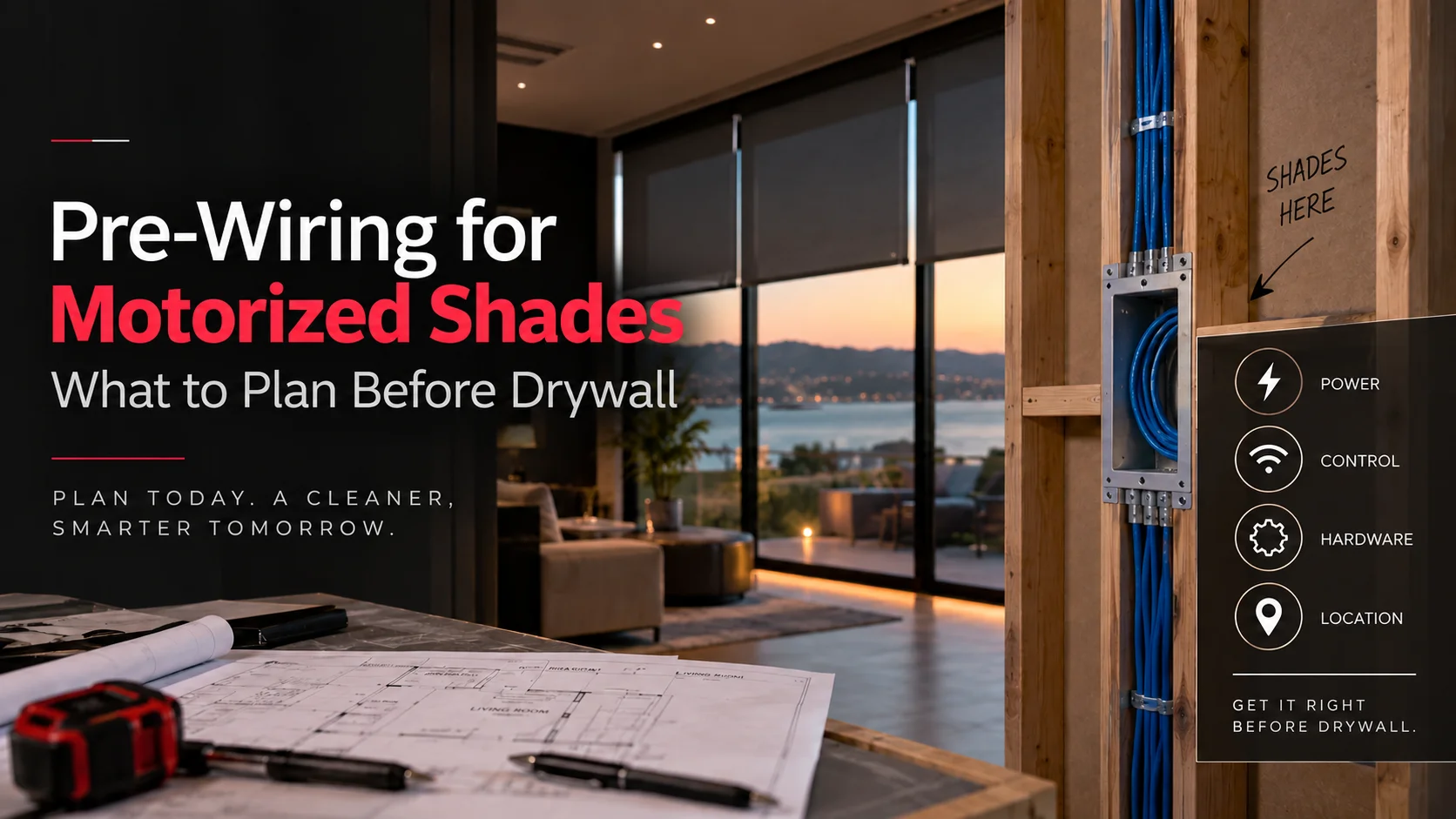
If the walls are still open, decide the shade system before anyone pulls a “standard” wire.
To prewire motorized shades correctly, you need to know the power method, motor location, control method, shade style, wire exit point, and where the power supply or network equipment will live.
Drywall should come after those decisions.
Not before.
The expensive shade-wiring mistake is often not forgetting a wire. It is installing the wrong wire beautifully, hiding it behind finished walls, and discovering later that the shade system you actually want needs something different.
That matters in a premium home, where the whole point is for the technology to disappear.
Home Cinema Center offers indoor and outdoor PowerShades along with home automation, lighting control, networking, and theater integration. The company’s current site specifically positions motorized shades for living spaces, home theaters, and patios, including light and voice control.
Key Takeaways
- Choose the shade system before choosing the wire.
- Battery, low-voltage, PoE, and AC-powered shades need different planning.
- The wire must end where the motor and final shade hardware actually sit.
- Power supplies, controls, pockets, blocking, trim, and service access should all be settled before drywall.
What Should You Plan Before You Prewire Motorized Shades?
Start with the shade, not the cable.
You need to decide how the shade will be powered, how it will communicate, where the motor will sit, how the shade will mount, and where the power equipment will remain accessible. Only then can the correct cable type, route, and termination point be selected.
That order sounds obvious.
It gets ignored surprisingly often.
Recent prewire articles sometimes recommend one common low-voltage cable for most residential shades. That may work for a specific product family.
It is not a universal motorized-shade standard.
Current Lutron products alone show the problem. Triathlon shades can use 12V wired power, while Palladiom wired roller shades use 35V Class 2 power.
PowerShades adds another option: TruePoE can use Ethernet for both power and data.
So before the drywall crew arrives, stop asking:
“What wire should I run?”
Ask:
“Which shade system are we wiring for?”
Use the SHADE Rule Before Rough-In Starts

A simple way to remember the planning order is SHADE.
S: System
Choose the shade platform and power architecture.
Battery? Wired low voltage? PoE? AC-powered exterior shade?
That decision changes everything downstream.
H: Hardware
Decide whether the shade will be inside-mounted, outside-mounted, recessed into a pocket, hidden behind fascia, or integrated into millwork.
A: Automation
Decide how the shades should operate.
Remote? Keypad? Schedule? Voice? Lighting scene? Whole-home control?
D: Destination
Mark exactly where every cable ends and where centralized equipment lives.
E: Expansion and Access
Leave power equipment accessible and think about future service before permanently closing ceilings, pockets, or millwork.
That five-step order prevents most prewire mistakes before they disappear behind drywall.
Battery, Low-Voltage, PoE, or AC: Which Power Method Changes the Prewire?
There is no single motorized-shade power system.
| Power method | Wall prewire needed? | Best fit | Main planning issue |
| Battery | Usually no permanent power run | Retrofit or simple rooms | Battery access |
| Wired low voltage | Yes | New builds, remodels, many interior shades | Correct voltage/cable/power supply |
| PoE | Yes, Ethernet | Network-based smart shading | Switch capacity and cable route |
| AC / line voltage | Yes | Some large/exterior shade systems | Electrical design and code |
Battery Power
Battery shades can be a good solution when walls are already finished or running wire would create more disruption than value.
But battery and wired versions are not always interchangeable.
Lutron’s current shade support documentation says:
“you must specify your power source – either battery or wired.”
Lutron also states that battery-powered Serena shades and wired-powered Serena shades are different models.
That makes the construction-stage decision more important than it first appears.
Wired Low-Voltage Power
Low-voltage hardwiring can remove visible adapters and routine battery access from the finished room.
But “low voltage” still does not tell you which wire to install.
Product family, voltage, run length, motor load, number of shades, and power-supply architecture all matter.
Use manufacturer specifications for the actual shade system.
Power over Ethernet
PoE changes the conversation again.
PowerShades currently states that its TruePoE motor can receive power and data from one Ethernet cable and draws less than 5 watts per shade.
For the right project, that can make Ethernet infrastructure part of the shade plan rather than an unrelated networking decision.
AC-Powered Shades
Some larger or exterior products use AC motors.
For example, PowerShades describes its current exterior roller-shade systems as using AC-powered motors.
Line-voltage work requires proper electrical planning. Coordinate that portion with the qualified electrical professional responsible for the project and follow the applicable manufacturer instructions and local requirements.
Why “Just Run 18/2 Everywhere” Can Become an Expensive Mistake
Because the cable only makes sense after the system does.
Imagine the electrician runs a common two-conductor low-voltage wire to every window.
The installation looks neat.
Drywall goes up.
Then you choose a PoE shade.
Now the Ethernet cable that could have delivered network communication and power is not there.
Reverse the example.
Suppose you install Ethernet everywhere because you expect PoE shades, then select a different wired system that requires another power architecture.
The problem is the same.
You planned infrastructure around an assumption rather than the final system.
Do this: select the shade family or at least the approved power architecture before rough-in.
Not that: pick a cable because somebody called it “standard motorized-shade wire.”
Where Should the Shade Wire End at the Window?
This detail can ruin an otherwise good prewire.
The cable should appear where the final motor connection can reach it cleanly and discreetly.
That location depends on:
- Motor side
- Headrail design
- Inside vs. outside mount
- Pocket dimensions
- Fascia or valance
- Finished trim
- Shade stack and roller position
- Whether multiple shades share one opening
The motor may sit at the left or right side depending on the product configuration.
That means “run the wire to the top of the window” is not precise enough.
Current 2026 installation guidance from motorized-shade specialists also stresses identifying the motor-connector side and final headrail position before drywall because a cable emerging in the wrong spot can remain visible or fail to reach the motor cleanly.
Mark the termination point on the framing plan.
Then verify it physically at the window.
Are You Planning a Recessed Shade Pocket?
This should happen before the ceiling and trim details are final.
Recessed pockets can make motorized shades almost disappear when raised.
They can also create service problems if everyone focuses on appearance and forgets that a motor may eventually need attention.
Before framing the pocket, confirm:
Shade depth and width
Different rollers, fabrics, dual-shade systems, brackets, and fascia options require different clearances.
Finished ceiling line
The framing dimension is not always the finished dimension after drywall, plaster, trim, or other finishes are added.
Service access
Do not permanently trap the motor connector or shade hardware behind decorative millwork.
Blocking
The shade hardware needs suitable structural support.
Lutron’s current Triathlon product guidance, for example, states that the shade system must mount to blocking or another suitable structural material.
The premium version of hidden technology is hidden but serviceable.
Not hidden forever.
Where Should the Shade Power Supply or Panel Go?
Not behind the shade if you are using a centralized power architecture.
Central power equipment typically belongs in a dry, accessible utility, equipment, or technology location where future service does not require opening a finished wall.
The location needs to work with:
- Cable-run limits
- Power requirements
- Number of shades
- Ventilation requirements where applicable
- Electrical access
- Network equipment if PoE is used
- Future maintenance
Lutron currently offers both individual and centralized power-supply options for several wired shade families.
Think of the shade panel like other home infrastructure.
You may not want to see it.
Someone still needs to reach it.
Power Wiring and Control Wiring Are Not Always the Same Thing
This is another common source of confusion.
Hardwired power does not automatically mean hardwired communication.
A shade may receive power through a cable while commands arrive wirelessly.
Lutron Triathlon is a good example. Its current product-selection guidance states that Triathlon can be battery-powered or wired for power while communication remains wireless.
Other systems can combine power and communication.
PowerShades TruePoE is one example because one Ethernet cable can carry both.
So the prewire meeting should answer two separate questions:
How does the motor receive power?
How does the motor receive commands?
Do not assume one answer automatically provides the other.
How Will the Shades Connect to the Rest of the Smart Home?
This is where shade prewire becomes part of the whole-home plan.
You may want shades to respond to:
- Wall keypads
- Remote controls
- Time schedules
- Sunrise/sunset schedules
- Voice commands
- Lighting scenes
- Home-theater scenes
- Privacy scenes
- Whole-home automation
Home Cinema Center’s URC Total Control service can bring shades into the same control environment as lighting, thermostats, cameras, locks, and entertainment systems.
That changes how the finished house feels.
“Movie” can mean more than turning on the projector.
It can also mean lowering shades and changing the lights.
“Goodnight” can close selected shades along with the rest of the house routine.
The best time to decide how these systems interact is while the infrastructure is still accessible.
What About Home Theater Shades?
Sometimes the picture problem is not the projector or TV.
It is the window.
Home Cinema Center specifically positions motorized shades for home theater spaces, and its current room-design content notes that blackout motorized shades can reduce daylight and glare around displays.
For a theater or media room, plan:
- Which windows require blackout treatment
- Whether side channels are needed
- Whether a recessed pocket is desired
- Shade power
- Control integration
- Lighting scenes
- The relationship between shade fabric and screen location
That is much easier to solve before drywall than after the projector has already been mounted.
What About Outdoor Motorized Shades?
Outdoor shades deserve their own planning conversation.
The motor, enclosure, mounting surface, power method, weather exposure, controls, and wind management may differ from an indoor roller shade.
PowerShades’ current exterior products use AC-powered motors and can include wind sensors and side-guide options.
So do not copy an interior-window prewire detail onto a patio opening.
Exterior shading should be coordinated with the shade manufacturer, electrical plan, structure, finish materials, and automation design from the start.
Five Steps to Finish the Prewire Before Drywall
1. Choose the shade and power family
Do not begin with wire gauge.
Document battery, low-voltage, PoE, or AC requirements.
2. Finalize the mounting detail
Confirm inside mount, outside mount, fascia, recessed pocket, dual shade, or exterior enclosure.
3. Mark the motor and wire-exit side
Put it on drawings and verify the physical framing.
4. Confirm the central equipment location
Document power panels, PoE switches, control processors, and any other shade infrastructure.
5. Test, photograph, and label
Before drywall:
- Verify every expected run
- Check cable continuity using the appropriate method
- Label both ends
- Photograph wire paths
- Photograph blocking
- Measure termination locations from fixed framing points
Drywall hides workmanship.
Photos preserve it.
Quick Pre-Drywall Self-Check
Walk through every motorized-shade opening and ask:
Shade: Has the actual shade family or approved wiring architecture been chosen?
Power: Do we know whether it is battery, wired DC, PoE, or AC?
Motor: Do we know which side the motor connection will occupy?
Mount: Is the shade inside-mounted, outside-mounted, recessed, or hidden behind fascia?
Structure: Is required blocking or support in place?
Cable: Is the manufacturer-approved cable present?
Panel: Can the power/network equipment be serviced later?
Control: Do we know how the shade will communicate with the smart-home system?
Finish: Will the wire disappear behind the final headrail rather than beside it?
If any answer is “we’ll figure that out after drywall,” that is the item to solve now.
What Most People Get Wrong About Motorized Shade Prewire
Mistake 1: Choosing the Wire Before the Shade System
This is the big one.
Different products use different power and communication methods.
Cable follows design.
Mistake 2: Assuming Battery and Wired Models Are Interchangeable
They may not be.
Lutron specifically states that several battery and wired shade versions must be selected when ordering.
Mistake 3: Putting the Wire “Somewhere Near the Header”
Near is not enough.
The finished motor connection should disappear behind the shade hardware.
Mistake 4: Forgetting the Power Panel
Home-running cables without deciding where they terminate simply moves the unanswered question to another room.
Mistake 5: Hiding the Power Equipment Too Well
Accessible does not mean visible.
But it must remain accessible.
Mistake 6: Treating Power and Control as the Same System
A wired motor may still communicate wirelessly.
A PoE system may carry both power and data.
Know which architecture you selected.
Mistake 7: Planning the Shade After the Millwork
A beautiful recessed pocket that cannot fit or service the actual shade is not finished design.
It is an expensive framing mistake.
An Illustrative Remodel Example
Picture a Marin County remodel with six large living-room windows and two tall windows above a stair landing.
The homeowner wants every shade controlled from a keypad and included in a “Goodnight” scene.
The framing is open.
Someone suggests running ordinary low-voltage wire above each window and picking the shades later.
That sounds efficient.
It is backwards.
If the project later chooses PowerShades TruePoE, Ethernet becomes part of the design.
If it chooses a Lutron wired system, the power architecture changes again.
If the two high stair windows are battery-powered, future battery access becomes part of the maintenance conversation.
If the shades are recessed, pocket dimensions and motor access must be settled before trim.
The correct first decision is not cable.
It is how these shades should work when the house is finished.
Once that is clear, the wiring plan becomes much easier.
When Is Battery Power the Better Choice?
Hardwiring is not automatically superior.
Battery shades can make sense when:
- Walls are already finished
- The project has only a few shades
- Cable routing would damage expensive finishes
- Windows remain easy to reach
- The chosen shade family offers suitable battery performance
- Smart-home control does not require wired infrastructure
Prewiring becomes much more attractive when:
- The walls are already open
- Many windows will be motorized
- Shades are difficult to reach
- Clean hidden power is a priority
- Centralized power is desired
- PoE is part of the system
- Shades will be integrated into a larger automation project
- The home includes recessed shade pockets or premium millwork
The right choice depends on the house.
That is better than declaring one power method the winner for every project.
What Should Marin and Novato Homeowners Plan Differently?
The electrical principles do not change at the Novato city limit.
The architecture does.
A Marin remodel may involve finished woodwork that you do not want reopened later.
A hillside home may have tall glazing that makes battery access inconvenient.
A large living room may have several adjacent shades that homeowners expect to move together.
A home theater may need blackout shades tied into lighting and AV scenes.
A patio may need an entirely different exterior shade system.
That is why shade planning belongs beside the electrical, network, lighting, AV, and finish plans rather than at the end of the decorating process.
Home Cinema Center’s smart-home and shade solutions bring those systems into the same project instead of treating each window as a separate gadget.
Final Thoughts: The Wire Is the Last Decision, Not the First
To prewire motorized shades properly, decide what the finished shade system needs before deciding what disappears inside the wall.
Choose the shade architecture.
Choose the power method.
Choose the motor side.
Plan the pocket or fascia.
Locate the power/network equipment.
Decide how the shades will be controlled.
Then specify the correct cable from the actual manufacturer requirements.
That order sounds slower.
During construction, it is usually the faster path because it prevents everybody from guessing.
A clean motorized-shade installation should look as though the house was designed for it from the beginning.

If framing is open now, contact Home Cinema Center in Novato before the walls close to coordinate the shades, power architecture, automation, lighting, and other home-technology details.
Frequently Asked Questions
Do motorized shades need to be prewired?
Not every motorized shade needs permanent wiring because battery-powered options are available. Prewiring is most valuable during new construction or major remodeling when you want hidden permanent power, centralized equipment, PoE, hard-to-reach shades, or broader smart-home integration.
What low-voltage wire should I run for motorized shades?
There is no universal low-voltage cable for every motorized shade. The correct conductors depend on the shade family, voltage, run length, motor requirements, and power supply. Choose the system first, then follow the current manufacturer wiring specification instead of assuming one cable works everywhere.
Can I use Cat6 for motorized shades?
Cat6 can be appropriate when the selected shade system is designed around Ethernet or PoE, but it should not automatically replace the required power cable for another shade family. PowerShades TruePoE, for example, uses Ethernet for both power and data.
Where should the motorized-shade power supply go?
Central power equipment should normally remain in a dry, accessible location appropriate for the selected system, such as a technology, utility, or equipment area. Cable-length limits, electrical requirements, ventilation, service access, and the number of connected shades should guide the final location.
Which side should motorized-shade wiring come out?
The cable should emerge on the side and at the height specified for the chosen motor and shade hardware. That may be left, right, or another product-specific location. Confirm the motor configuration before rough-in so the finished wire can remain hidden behind the headrail or pocket.
When should motorized shades be prewired during construction?
Plan the shade infrastructure after window and shade details are sufficiently defined but before insulation, drywall, permanent millwork, and finish work block access to the framing. The shade installer, low-voltage team, electrician, builder, and designer should coordinate before rough-in is considered complete.
Can I convert battery-powered motorized shades to hardwired power later?
Do not assume that you can. Some manufacturers sell battery and wired versions as different models. Lutron, for example, says Serena and Triathlon power type must be specified when ordering. Check the exact shade family before planning a later conversion.
Do smart motorized shades need both power and control wires?
Not necessarily. Some hardwired shades receive power through a cable but communicate wirelessly. Other systems can carry power and data together. The shade’s communication method should be documented separately from its power method during prewire planning.
Do exterior motorized shades use the same wiring as interior shades?
Not always. Exterior shades may use different motors, power systems, sensors, mounting hardware, enclosures, and weather-rated components. Some current exterior PowerShades systems use AC-powered motors, so exterior openings should have their own manufacturer-specific electrical and structural plan.
Is professional motorized-shade prewire planning worth it?
Professional planning becomes especially useful when several shades, recessed pockets, high windows, centralized power, PoE, exterior shades, lighting scenes, or whole-home automation are involved. The value comes from coordinating the infrastructure before drywall makes simple changes difficult.