
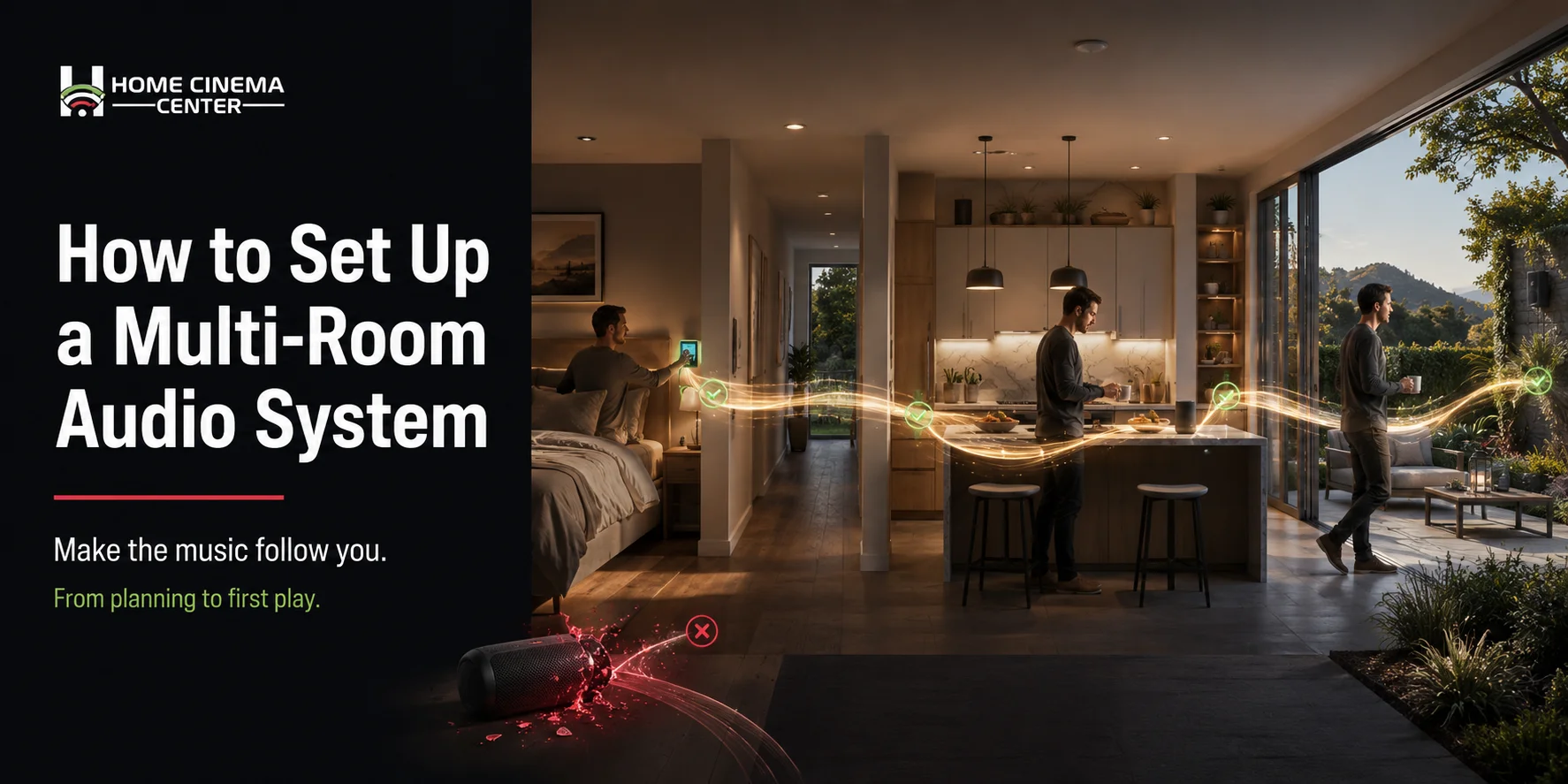
A complete guide to whole home audio from planning to first play
Imagine waking up, pressing play, and having music follow you from the bedroom to the kitchen to the backyard without skipping a beat or losing quality. No awkward silences as you walk between rooms. No fumbling with Bluetooth speakers that barely reach the next doorway.
That’s what a properly set up multi-room audio system does and it’s far more achievable for the average homeowner than most people assume.
This guide covers everything you need to know to set up a multi-room audio system: how the technology works, what equipment you need, how to plan zones, and where professional installation makes the difference between a system that sounds good and one that truly performs.
How Do Multi-Room Audio Systems Work?
Before picking any hardware, it helps to understand the basic architecture of a multi-room sound system.
A multi-room audio system also called a whole home audio system or distributed audio system connects multiple speakers across different rooms to a central audio source or network. The system lets you:
- Play the same audio in every room simultaneously
- Play different audio in different rooms at the same time
- Control everything from a single app, remote, or smart home interface
- Adjust volume per room independently without affecting other zones
Modern systems accomplish this through one of two approaches: wired distribution or wireless networking. Most high-quality installations today use a combination of both.
Wired Systems
Audio signal is run through dedicated speaker wire or structured cabling to in-wall or in-ceiling speakers in each room. An amplifier or AV receiver distributes the signal to each zone. Wired systems are known for reliability, zero latency, and consistent sound quality especially important in larger homes.
Wireless Systems
Wireless multi-room systems like Sonos use your home’s Wi-Fi network to stream audio to compatible speakers placed throughout the house. No in-wall wiring is required, making them ideal for existing homes where running cable isn’t practical. Sonos is one of the most popular platforms precisely because it handles multi-room sync, app control, and streaming services natively.
Most professional installations combine in-ceiling or in-wall speakers for permanent rooms (kitchen, living room, master bedroom) with wireless flexibility for less-fixed spaces like patios or guest rooms.
Step 1 Plan Your Audio Zones
The foundation of any multi-room audio setup is zone planning. A zone is simply any area where you want independent audio control.
Start by walking through your home and answering these questions for each space:
- Do I want music here regularly?
- Do I want this room to be independent or grouped with adjacent spaces?
- Is this an indoor or outdoor space?
- Will this area need voice control, or is app control enough?
Common zones in a whole home audio setup:
| Zone | Notes |
| Living Room | Often the anchor zone may connect to a home theater system |
| Kitchen | High-use, usually on constantly |
| Master Bedroom | Often independently controlled |
| Dining Room | Can group with kitchen or living room |
| Home Office | Often needs independent control |
| Outdoor Patio/Backyard | Requires weather-rated speakers |
| Garage | Optional but popular |
| Bathrooms | Small speakers, moisture-rated |
You don’t need to wire every room from the start. A good system is designed to expand so planning the infrastructure now (conduit runs, amp capacity) makes adding zones later much simpler.

Step 2 Choose Your Audio System Platform
Your choice of platform determines how the system sounds, how it’s controlled, and how well it integrates with the rest of your smart home.
Sonos Best for Wireless Flexibility
Sonos is a wireless multi-zone audio platform that streams music in any room from any device iPhone, Android, PC, or Mac with Alexa and Google integration built in. It supports virtually every major streaming service and allows rooms to be grouped or ungrouped with a tap.
Home Cinema Marin is an authorized Sonos seller and installer, which matters: Sono’s systems need to be properly configured to your network to avoid dropouts, and professional setup ensures everything is optimized from day one.
URC Total Control Best for Whole Home Automation
For homeowners who want audio as part of a broader smart home ecosystem controlling lighting, thermostat, security cameras, and AV all from one interface, Total Control by URC is the professional-grade solution. It integrates Sonos, in-wall speakers, home theater components, and smart home devices into a single custom interface.
Wired Distributed Audio
For larger homes or new construction where structured cabling is being run anyway, a dedicated wired multi-room audio system delivers the most consistent performance. An amplifier matrix handles multiple zones, with in-ceiling or in-wall speakers in each room. This is often paired with a Sonos or streaming layer on top for source flexibility.

Step 3 Select the Right Speakers for Each Room
Speaker choice depends heavily on the room’s use, aesthetics, and whether you’re doing wired or wireless installation.
In-Ceiling Speakers
The most popular choice for permanent whole home audio. Installed flush with the ceiling, they’re invisible when painted to match the room and deliver clean, room-filling sound. Best for: living rooms, kitchens, bedrooms, hallways.
In-Wall Speakers
Similar to in-ceiling but mounted vertically in walls. Often used in home theaters or dedicated listening rooms where directional sound matters. Best for: home theater setups, media rooms.
Outdoor Speakers
Outdoor speaker systems require weather-rated enclosures rated for UV, moisture, and temperature variance. They can be ground-stake subwoofers, rock-shaped landscape speakers, or under-eave mounted units. Best for: patios, pool areas, garden spaces.
Wireless Smart Speakers
Standalone wireless units like Sonos Era or Move speakers can be placed anywhere with Wi-Fi coverage. No installation needed. Best for: flexible placements, guest rooms, spaces without in-wall access.
Step 4 Understand the Wiring and Network Requirements
Even wireless systems need a strong infrastructure underneath them.
For Wired Systems
- Speaker wire runs from a central amp location to each speaker location. Gauge matters 16 AWG for shorter runs, 14 AWG for longer.
- A central amplifier or matrix amp handles multiple zones. Common configurations are 4-zone, 8-zone, or 12-zone amps.
- Source components (streaming players, media servers) connect to the amp.
- Volume controls or keypads can be installed in each room for local adjustment.
Running speaker wire is the most labor-intensive part of a wired installation and the part that’s easiest to do correctly during new construction or a major renovation, when walls are open. Retrofitting requires either fishing wire through finished walls or using surface conduit.
For Wireless Systems
A wireless Sonos system lives and dies on network quality. Requirements:
- Strong Wi-Fi coverage throughout the home dead zones means dropouts
- Dedicated 2.4GHz and 5GHz bands (most modern routers handle this automatically)
- Stable home network infrastructure a professionally designed home network makes a significant difference in wireless audio reliability
For larger homes, a mesh Wi-Fi system or access point network designed around audio performance is worth serious consideration. Home Cinema Marin handles home network design and installation as a core service precisely because network quality is the most overlooked variable in wireless audio performance.
Step 5 Set Up Amplification and Source Components
The amplifier is the engine of a wired multi-room system. For wireless systems, the Sonos platform or equivalent handles amplification internally.
For Wired Systems
A multi-zone amplifier takes audio sources as input and distributes them to speaker zones as output. Each zone can typically be controlled independently different volume, different source, or off entirely. Common brands in professional installations include Sonance, Resound, and Niles.
The amp is typically located in a central equipment closet or AV rack, alongside other source components: a streaming media player, NAS (network audio server), or direct connection to Sonos for hybrid setups.
For Sonos-Based Systems
Each Sonos product is its own amplified speaker or amplifier module. The Sonos Amp connects directly to passive in-ceiling speakers and delivers power, while also connecting to the Sonos ecosystem for control. One Sonos Amp per zone is the standard approach for in-ceiling speaker installations.
Step 6 Configure Control and Integrate with Smart Home
Once hardware is in place, the system needs to be configured for control. This is where the system goes from functional to genuinely enjoyable.
Sonos App
The Sonos app handles grouping, volume, source selection, and streaming across all zones. Setup includes adding each device to the network, naming rooms, and linking streaming accounts (Spotify, Apple Music, Tidal, etc.).
Voice Control
Sonos integrates natively with Amazon Alexa and Google Assistant. Once linked, voice commands like “play jazz in the kitchen” or “turn down the living room” work across the system.
URC Total Control
For homes with Total Control installed, the audio system becomes one component of a unified smart home interface. A single touchscreen or app controls audio, lighting, shades, thermostat, and security all customized to how the household actually uses the space.
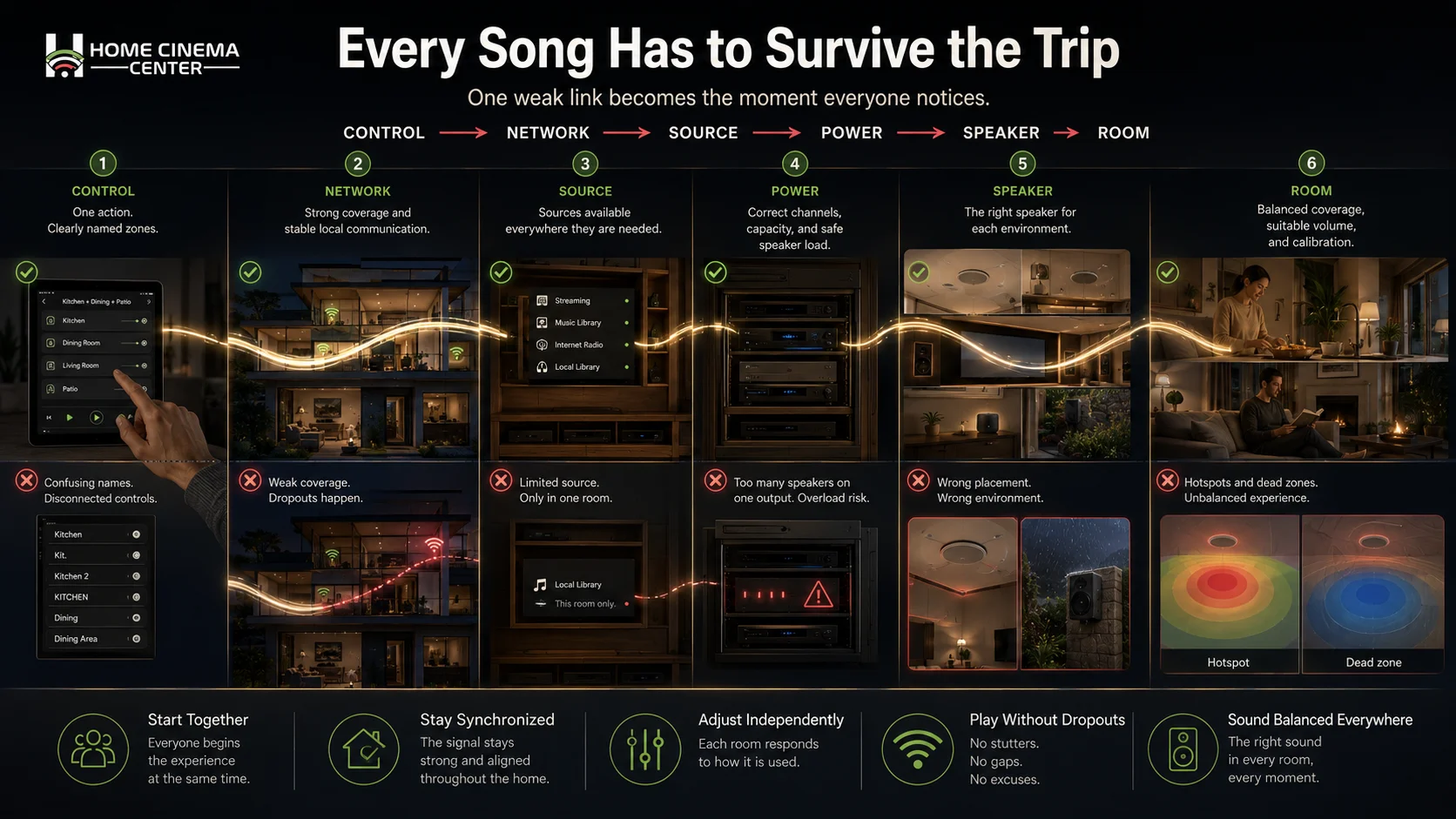
Common Multi-Room Audio Setup Mistakes to Avoid
Even well-planned systems can fall short if a few key things are overlooked.
Underestimating network quality. A wireless multi-room system is only as good as the Wi-Fi it runs on. Dropping out mid-song because of a weak signal kills the experience. Investing in proper home network infrastructure is never wasted.
Skipping impedance planning. Connecting too many speakers to a single amplifier channel without understanding impedance can damage the amp or degrade performance. A professional knows how to wire speakers in series or parallel to stay within safe load ranges.
Not running conduit during construction. If the home is being built or renovated, running conduit now even before deciding on a specific system cost little and saves enormous retrofit headaches later.
Buying consumer-grade equipment for permanent installation. Big-box speakers may be fine for a desktop. For in-ceiling installation that will live in a wall for 20 years, professional-grade components matter in terms of sound quality, reliability, and manufacturer support.
Forgetting outdoor zones. The backyard and patio are often the most-used audio spaces in a California home. Planning outdoor speakers from the start (with proper weather ratings and burial-grade wire for any underground runs) is far easier than adding them later.
Do You Need a Professional Installer?
The honest answer: for a single Sonos speaker in a spare room, no. For a whole home audio setup across four or more zones especially one involving in-ceiling speakers, structured wiring, and integration with a smart home system yes, professional installation makes a material difference.
Here’s what a professional brings:
- Proper zone planning based on the home’s layout and how it’s actually used
- Clean in-wall and in-ceiling installation with no visible wires and properly painted speaker grilles
- Impedance management to protect amplifiers and ensure consistent performance
- Network optimization so wireless components never drop out
- System calibration speaker placement, EQ settings, and volume leveling so every room sounds right
- Integration with existing or planned smart home components
- Ongoing support when something needs adjustment or expansion
Home Cinema Marin handles multi-room audio system installation throughout Marin County and the greater San Francisco Bay Area from system design through installation, calibration, and training. Whether you’re building new, renovating, or retrofitting, a consultation starts the process clearly.
Frequently Asked Questions
What is a multi-room audio system?
A multi-room audio system also called whole home audio or distributed audio lets you play music in multiple rooms of your home simultaneously, with independent volume control per room and the ability to play different audio in different zones at the same time.
How do I create a multi-room sound system without rewiring my house?
A wireless platform like Sonos lets you build a whole home audio system without running new speaker wire. Sono’s speakers connect over Wi-Fi and can be controlled from any smartphone or tablet. A strong home network is the primary infrastructure requirement.
How many zones do I need for whole home audio?
This depends on your home layout and how you use each space. Most families find four to eight zones covers their primary spaces living room, kitchen, master bedroom, outdoor patio, and a few secondary rooms. A professional system designer can help map zones based on your specific home.
Can I integrate multi-room audio with my smart home?
Yes. Systems like Sonos integrate with Amazon Alexa, Google Assistant, and Apple HomeKit. For deeper integration controlling audio alongside lighting, thermostats, and security Total Control by URC creates a unified smart home and AV interface.
What’s the difference between Sonos and a wired multi-room audio system?
Sonos is a wireless platform speakers connect via Wi-Fi and can be placed anywhere without in-wall wiring. Wired systems run speaker cable from a central amplifier to in-ceiling or in-wall speakers in each room. Both are legitimate approaches; the right choice depends on the home’s construction, the number of zones, and the performance requirements. Many installations use both wired for primary rooms, Sonos for flexibility elsewhere.
Do in-ceiling speakers sound as good as freestanding speakers?
High-quality in-ceiling speakers from professional brands sound excellent often better than entry-level freestanding options. The room acoustics, speaker placement, and amplifier quality matter as much as the speaker itself. Professional calibration after installation further optimizes performance.
How do I set up multi-room music on Sonos?
After installing Sono’s speakers or Sonos Amp units (connected to in-ceiling speakers), open the Sonos app, add each device to your home Wi-Fi network, name each room, and link your streaming accounts. From there, you can group rooms, set different sources per zone, and control volume from the app, Alexa, or Google.
Can multi-room audio be added to an existing home?
Yes. Wireless Sonos systems require no new wiring only a power outlet per speaker. Wired in-ceiling systems can be retrofitted by fishing wire through existing walls, though this is more involved. A site assessment helps determine the most practical approach for your specific home.
Who installs multi-room audio systems near me in Marin County?
Home Cinema Marin provides professional multi-room audio installation throughout Marin County, San Francisco, Sonoma, Napa, and surrounding areas. Contact the team at (415) 897-6217 or visit homecinemamarin.com to request a free quote.