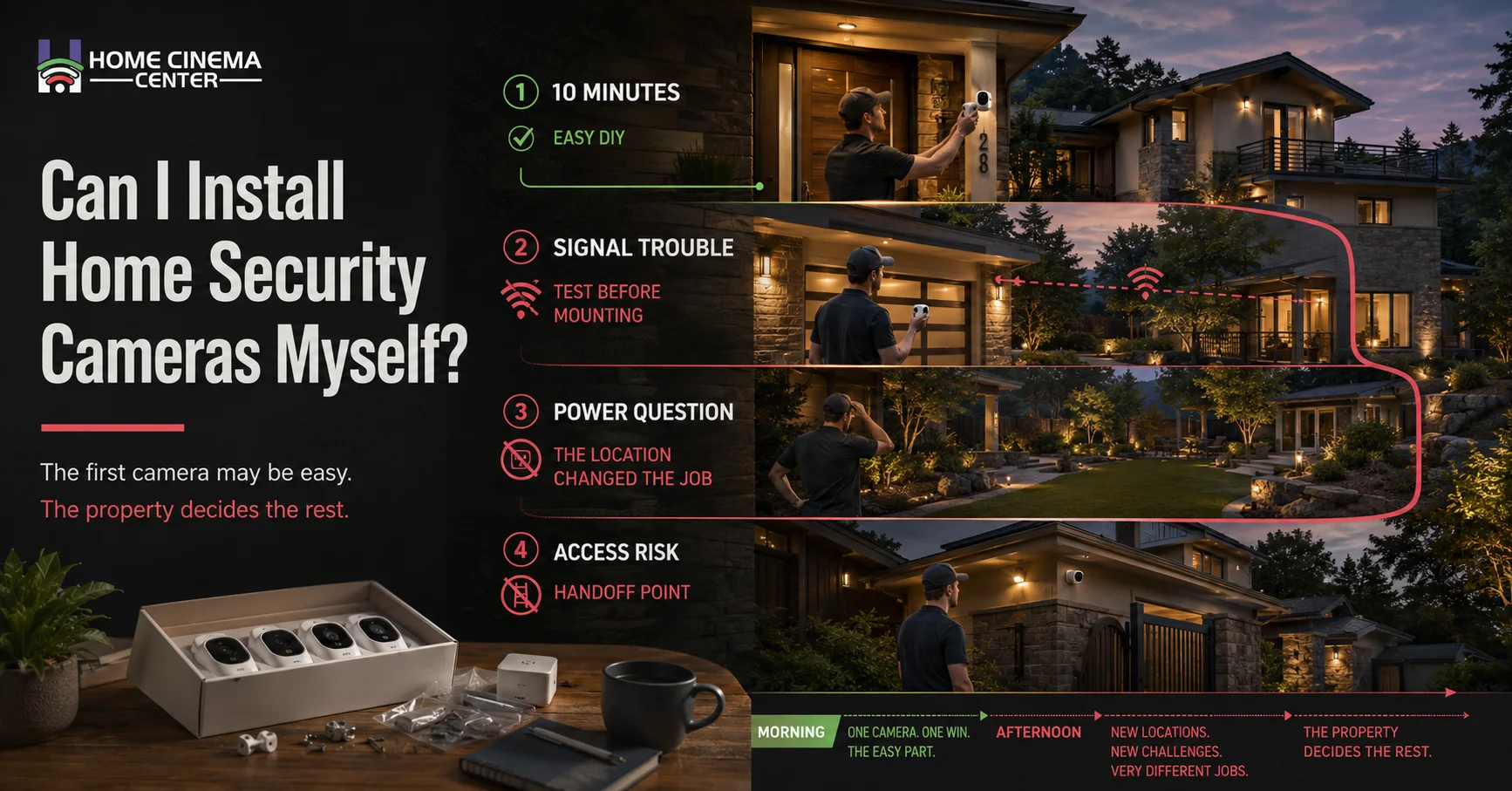
A homeowner in Marin bought a well-reviewed wireless camera kit expecting a quick weekend project. The first camera went up in ten minutes. The second one, meant for a spot near the garage with no nearby outlet and a weak Wi-Fi signal, took most of an afternoon and still didn’t work reliably. That gap between “easy” and “actually easy for my house” is the real answer to whether DIY security camera installation makes sense.
Key Takeaways
- Wireless, battery-powered cameras are genuinely DIY-friendly for most homeowners.
- Wired systems, especially anything requiring new outlets or routed cable through walls, usually call for professional help.
- You generally don’t need an electrician for basic wireless installs, but you likely do for hardwired systems or new electrical work.
- The real question isn’t “can I install this myself” it’s “will my specific home’s layout make this easy or genuinely difficult.”
What’s Actually Easy to Install Yourself
Modern wireless security cameras were built with DIY installation in mind. If your setup matches these conditions, doing it yourself is a realistic option:
- Battery-powered or solar cameras that mount with a simple bracket or adhesive pad no wiring involved at all.
- A strong existing Wi-Fi signal at every camera location, so you’re not fighting connectivity issues after installation.
- Ground-floor or easily reachable mounting spots, avoiding the need for tall ladders or awkward angles.
- A small number of cameras, since each additional unit adds setup time, app configuration, and troubleshooting.
As Angie puts it plainly in their installation guide, wireless security cameras are the most DIY-friendly option, while anything involving new electrical work is better handled by a professional.

What Usually Isn’t a Realistic DIY Project
On the other end of the spectrum, several common scenarios push past what most homeowners can safely or reliably handle alone:
- Running cable through walls, attics, or exterior surfaces for a wired system this takes specialized tools and experience with fishing wire safely.
- Adding new outlets or doing any electrical panel work, which should always go to a licensed electrician.
- Power over Ethernet (PoE) setups, where injectors or switches need to be sized correctly to avoid overloading the system.
- Second-story or hard-to-reach mounting, where ladder safety and proper anchoring matter more than they might seem to.
- Integrating cameras with existing home automation, alarm systems, or a whole-home network, which often requires configuration knowledge beyond the camera app itself.
Do I Need an Electrician to Install Security Cameras?
It depends entirely on the type of system:
- Battery-powered wireless cameras: No electrician needed this plug into nothing and simply mount and connect to Wi-Fi.
- Cameras that plug into an existing outlet: Generally, no electrician needed, as long as a suitable outlet already exists nearby.
- Hardwired cameras requiring new outlets, panel work, or dedicated circuits: Yes, a licensed electrician should handle this, both for safety and to stay code-compliant.
- PoE systems with multiple cameras on shared power supplies: Often benefit from a professional’s help to properly size the power load, even if a licensed electrician isn’t strictly required for every step.

DIY vs. Professional Installation: A Side-by-Side Look
| Factor | DIY Installation | Professional Installation |
| Best fit | Wireless, battery-powered cameras | Wired, PoE, or integrated systems |
| Electrician needed | Usually no | Often yes, for new wiring or outlets |
| Time investment | A few hours, more with troubleshooting | Handled in a single scheduled visit |
| Coverage planning | Self-directed, higher risk of blind spots | Site assessment reduces coverage gaps |
| Long-term reliability | Depends on battery upkeep and Wi-Fi strength | Generally, more consistent, especially for wired setups |
(This table reflects general patterns; your specific home’s layout and existing wiring will affect how these factors apply to you.)
A Simple Checklist Before You Start a DIY Installation
- Confirm Wi-Fi signal strength at every planned camera location, not just near the router.
- Check whether each spot has a nearby power source, if you’re not using battery-powered cameras.
- Walk the property and mark coverage priorities entry points, blind spots, and package delivery areas.
- Read the camera’s mounting height and ladder safety guidance before attempting second-story installs.
- Know your limit ahead of time decide in advance which parts of the job you’ll hand off if things get complicated.
Do This, Not That: Common DIY Installation Mistakes
- Do this: Test Wi-Fi signal strength at the exact camera location before mounting anything permanently.
- Not that: Assume your home Wi-Fi reaches every corner of the property evenly.
- Do this: Call an electrician for any new outlet or wiring work.
- Not that: Attempt to tap into your home’s electrical panel without proper training.
- Do this: Plan your camera locations against actual blind spots.
- Not that: Install cameras wherever seems convenient and hope it covers what matters.
A Familiar Scenario: When DIY Turned into a Bigger Project
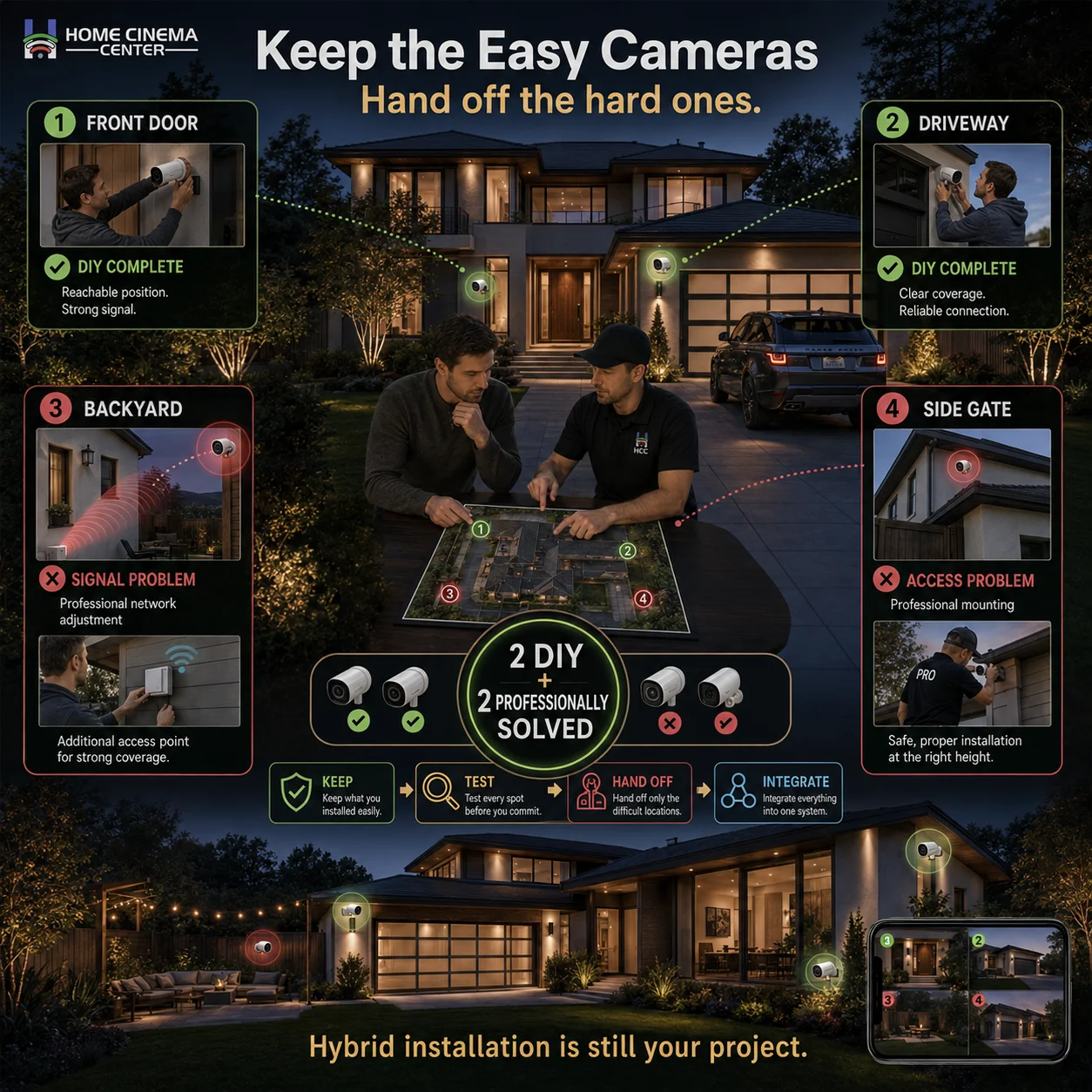
Overview: A homeowner in Novato bought a four-camera wireless kit, expecting a straightforward weekend project covering the front door, driveway, backyard, and side gate.
What happened:
- The front door and driveway cameras installed easily and worked well right away.
- The backyard camera, mounted far from the router, suffered a weak signal and frequent dropped connections.
- The side gate camera needed second-story mounting near a steep roofline that felt unsafe to attempt alone.
The adjustment:
- The homeowner kept the two easy DIY cameras as planned.
- A professional installer was brought in to handle the two problem locations, including adding a Wi-Fi extender and safely mounting the second-story camera.
Insight: As the saying goes, “measure twice, cut once” in this case, walking the property and testing signal strength before buying anything would have revealed the tricky spots ahead of time, rather than mid-project.
When to Bring in a Professional
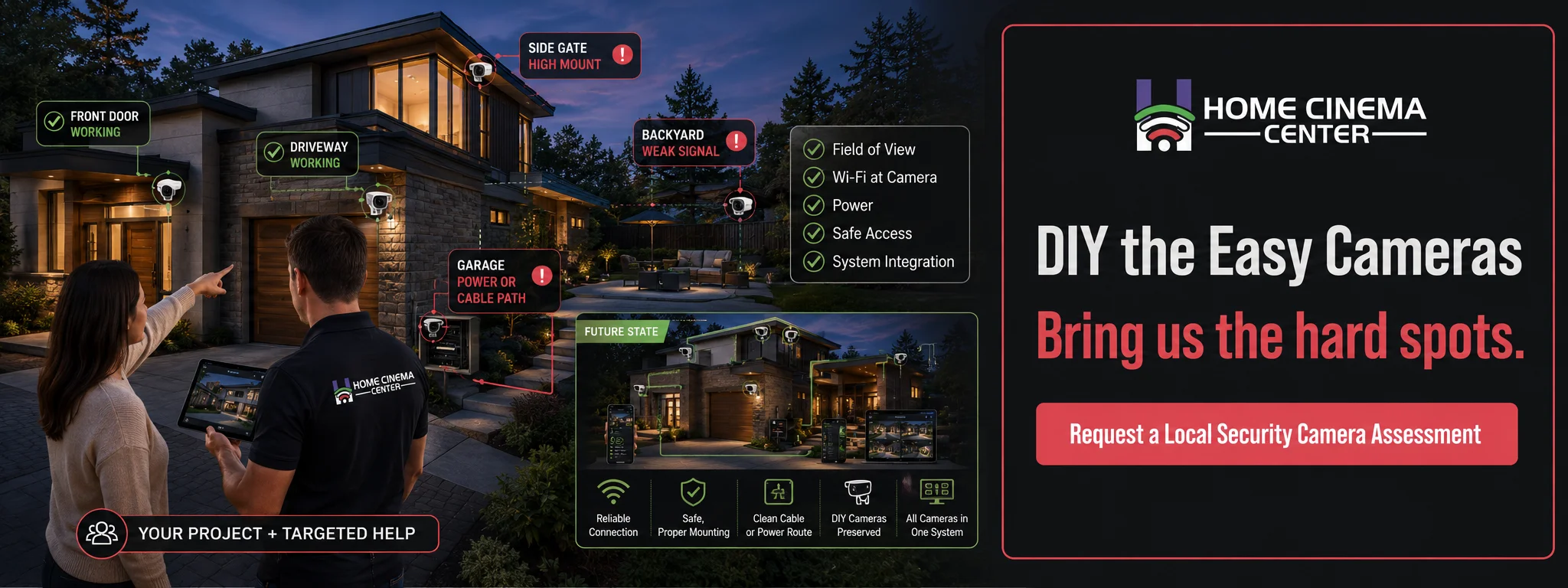
DIY installation makes sense for straightforward, wireless setups but the moment a project involves new wiring, second-story mounting, or integration with an existing smart home system, it’s worth bringing in a professional. Home Cinema Marin offers professional surveillance camera installation throughout Marin County and the North Bay, handling everything from a single tricky camera location to a full-property system, cleanly integrated with any existing home automation or networking.
Not sure which parts of your project need a professional? Call Home Cinema Marin at (415) 897-6217.
Frequently Asked Questions
Is it easy to install security cameras yourself?
For battery-powered wireless cameras with a strong Wi-Fi signal at every location, yes. It gets significantly harder with wired systems, weak signal areas, or hard-to-reach mounting spots.
Do I need an electrician to install security cameras?
Not for battery-powered or plug-in wireless cameras. You generally do need one for hardwired systems that require new outlets, panel work, or dedicated circuits.
Do I need an electrician to install a camera that plugs into an existing outlet?
Usually not, as long as the outlet is already there, in good working condition, and appropriately located no new wiring is being added.
What’s the biggest mistake people make with DIY security camera installation?
Not testing Wi-Fi signal strength at the actual camera location beforehand, which leads to unreliable connections after everything is already mounted.
Can I mix DIY and professional installation for the same system?
Yes, and it’s a common approach handling the easy, accessible cameras yourself while bringing in a professional for tricky spots like second-story mounting or wired runs.
Does Home Cinema Marin help with partial installations, not just full systems?
Yes, Home Cinema Marin can assist with specific problem areas of a DIY project as well as complete, full-property installations.
Are wireless cameras less reliable than wired ones?
They can be more vulnerable to Wi-Fi dropouts and require occasional battery changes, but for many homes they offer a good balance of ease and reliability, especially with a strong network signal.