
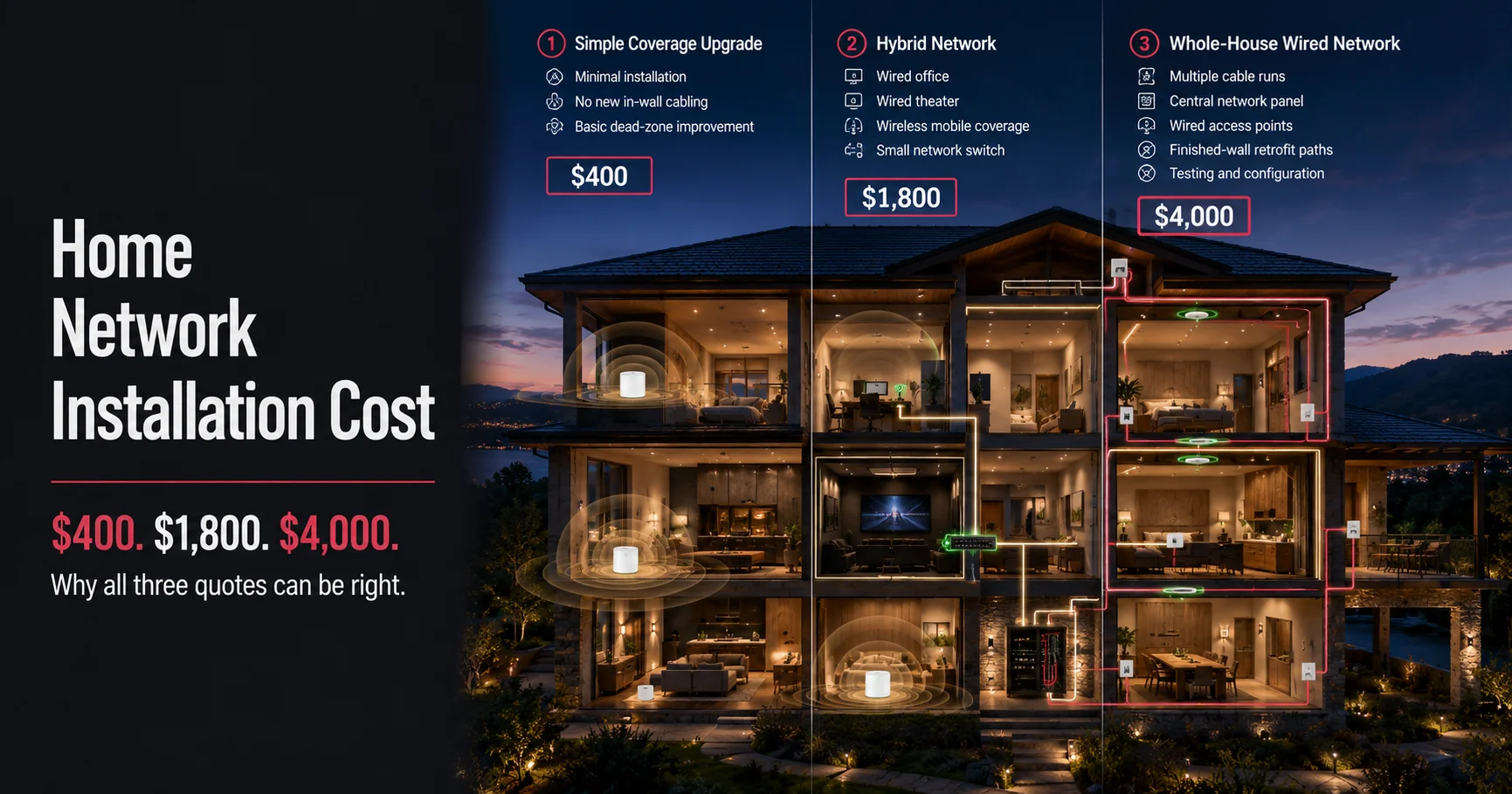
Someone calls around Marin County asking three different installers the same question and gets three very different answers $400, $1,800, $4,000 all for “a home network.” None of them are lying. They’re just quoting three different jobs, because “home network installation” can mean anything from adding a single mesh router to running Ethernet cable through every wall in a three-story house.
That’s the real answer to the pricing question: it depends on what your home actually needs, not on some flat industry rate. Here’s what actually drives the cost, so you can walk into a quote knowing what you’re paying for.
Key Takeaways
- Home network installation cost ranges roughly from a few hundred dollars for a simple Wi-Fi setup to several thousand for full wired networking in a large home.
- The biggest cost drivers are wiring (versus wireless-only), home size and layout, and how much of the work requires opening walls or crawling through attics.
- A mesh Wi-Fi-only setup is the cheapest option; a fully wired, whole-house network is the most reliable and the most expensive.
What Actually Determines Home Network Installation Cost
Home network installation cost depends on the scope of the job whether you need a simple wireless upgrade, a fully wired network, or something in between plus your home’s size, construction, and how accessible the walls and attic space are for running cable.
Wireless-Only Setup
If your home just needs better Wi-Fi coverage, a mesh router system is usually the fastest and least expensive option. Installation typically involves placing 2–4 mesh points strategically around the house, configuring the network, and testing coverage in dead zones. This is the right call for smaller homes or homes where running cable isn’t practical.
Wired Ethernet Network
A wired network where Ethernet cable runs from a central point to key rooms delivers more reliable speed and eliminates a lot of the interference issues Wi-Fi struggles with, especially in homes with thick walls, multiple floors, or lots of connected devices. This is more labor-intensive, since it usually means running cable through walls, attics, or crawl spaces, and it costs more than a wireless-only setup.
Hybrid Networks
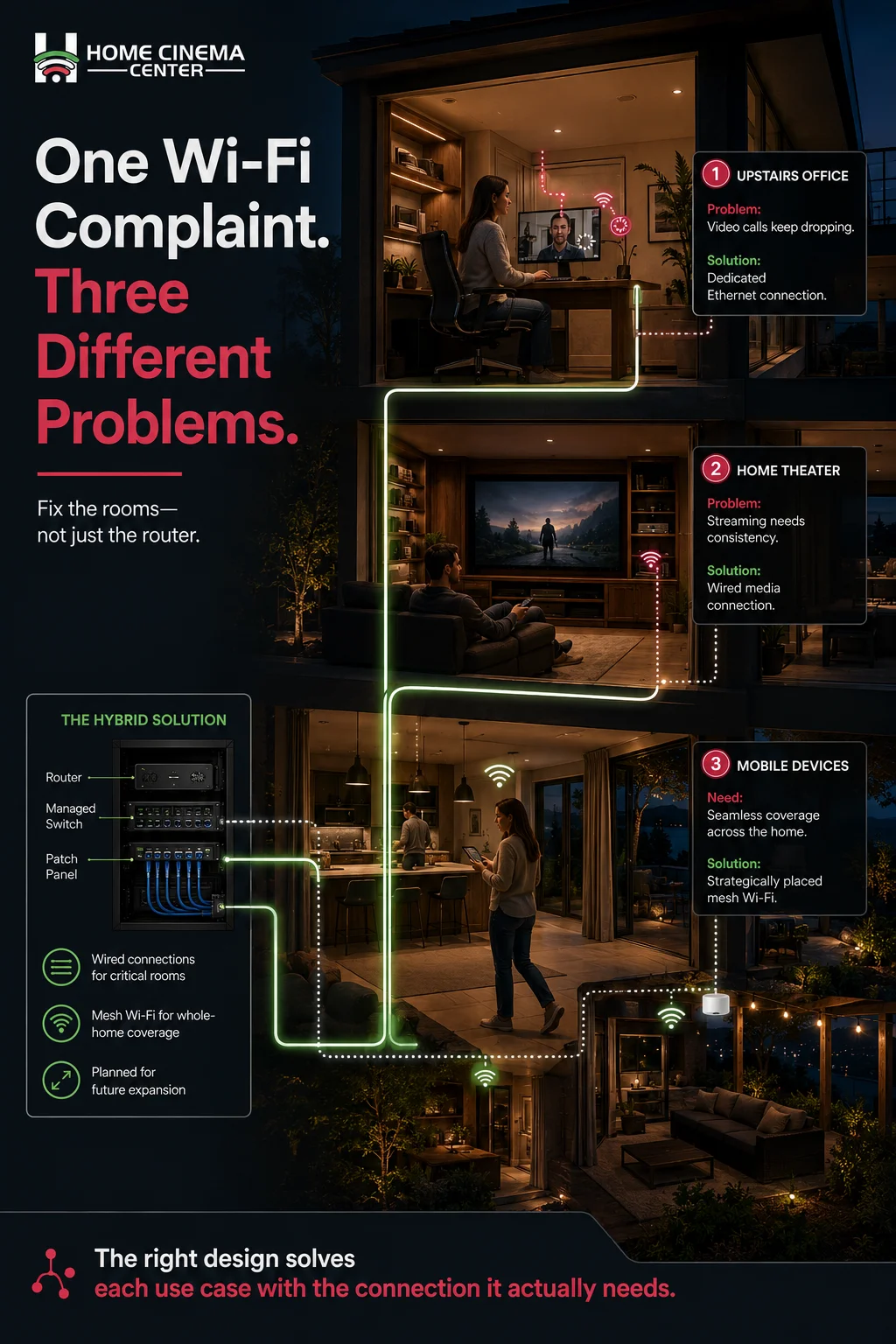
Many homes end up with a mix: wired connections to fixed devices like TVs, streaming boxes, and home theater equipment, with mesh Wi-Fi covering everything else. This is often the best balance of cost and performance for a typical household.
Home Size and Layout
A single-story home with open access to the attic is a much faster, cheaper job than a multi-story home with finished ceilings, plaster walls, or additions that make cable runs more complicated. Every wall that has to be opened and patched adds cost.
Existing Infrastructure
Homes with existing conduit, unused cable runs, or a pre-wired structured wiring panel are cheaper to upgrade than homes starting from scratch, since much of the hard part getting a path for cable is already done.
Number and Type of Access Points or Outlets
More rooms needing coverage, more wired jacks, and more devices to configure all add time and equipment cost. A single-room fix is a very different job from wiring an entire house for full connectivity.

Typical Cost Ranges by Project Type
| Project type | What’s involved | Typical cost range | Best for |
| Mesh Wi-Fi only | Router placement, configuration, coverage testing | Lower end of the range | Smaller homes, simple coverage gaps |
| Partial wired network | A few key rooms wired, rest on Wi-Fi | Mid-range | Home theater rooms, home offices |
| Full whole-house wired network | Cable run to most rooms, structured wiring panel | Higher end of the range | Larger homes, heavy streaming/gaming use, smart home integration |
| Retrofit in finished walls | Fishing cable through existing walls/ceilings | Adds a premium over new construction | Older homes without pre-wiring |
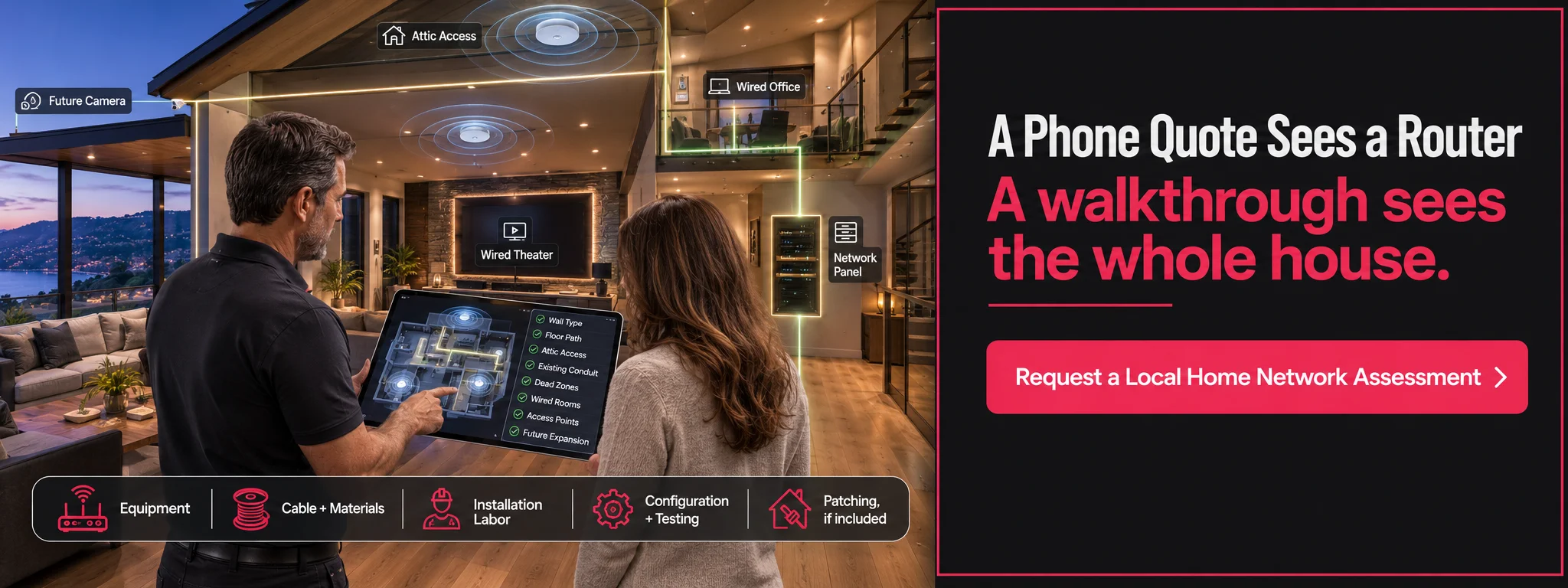
Exact numbers vary enough by home and region that the only way to get a real figure is a walkthrough which is also the only way to catch site-specific issues like tricky attic access or older wiring that needs to be replaced.

How to Get an Accurate Quote
- Know your priorities first is this about eliminating Wi-Fi dead zones, supporting a home theater, or future-proofing the whole house?
- Ask whether the quote includes wall patching and cleanup, not just the cable run itself.
- Confirm what equipment is included routers, access points, and a network switch can be a meaningful part of the total cost.
- Get a walkthrough, not a phone quote, since attic access, wall type, and distance all change the labor involved.
- Ask about future scalability a slightly larger setup now can save a second install later as you add devices.
A Familiar Scenario
A family in Mill Valley called about “getting Wi-Fi that actually works upstairs.” What started as a simple mesh router conversation turned into a broader discussion once it became clear they also wanted a wired connection to their home theater and a home office that kept dropping video calls. The final project ended up being a hybrid setup wired runs to the two rooms that needed rock-solid performance, mesh coverage for everything else which cost more than the original “just fix the Wi-Fi” ask, but solved the actual problem instead of a symptom of it.
Common Misconceptions About Home Network Pricing
“A better router alone will fix my Wi-Fi problems.” Sometimes but often the issue is home layout, wall materials, or interference that a router upgrade alone can’t fully solve.
“Wired networking is only for tech enthusiasts.” Increasingly, it’s the standard for anyone relying on video calls, streaming, gaming, or a growing number of smart home devices, since it removes a whole category of reliability problems.
Do this, not that: Don’t buy a router based on a marketing claim about square footage coverage before getting a real assessment of your home’s layout and construction that number rarely holds up in a real house with real walls.
Get a Home Network Quote from Home Cinema Marin
Home Cinema Marin designs and installs both wired and wireless home networks throughout Marin County and the greater Bay Area, tailored to your home’s actual layout and how you use it. Explore our home networking services or call us at (415) 897-6217 to schedule a walkthrough and get an accurate quote.
FAQ
How much does it cost to install a home network?
Costs range from a few hundred dollars for a simple mesh Wi-Fi setup to several thousand for a full wired network in a larger home, depending on scope and home layout.
What’s the average cost to have someone install Wi-Fi in your house?
A basic mesh Wi-Fi installation is typically the most affordable option, though the exact cost depends on home size and how many access points are needed.
Is a wired network more expensive than Wi-Fi?
Yes, generally running Ethernet cable through walls or attics adds labor cost, but it also delivers more reliable performance than Wi-Fi alone.
What factors affect home network wiring cost the most?
Home size, number of floors, wall construction, attic or crawl space accessibility, and whether cable needs to be fished through finished walls are the biggest factors.
Do I need a wired network if I already have good Wi-Fi?
Not necessarily many homes do well with a hybrid approach: wired connections for fixed devices like TVs and home theater equipment, with mesh Wi-Fi for everything else.
Can existing wiring in my house reduce installation costs?
Yes, homes with existing conduit or a pre-wired structured panel are typically cheaper to upgrade since the cable pathways are already in place.
How long does a home network installation take?
A simple mesh Wi-Fi setup can often be done in a few hours; a full wired network installation can take one to several days depending on scope.
Should I get a phone quote or an in-person walkthrough for network installation?
An in-person walkthrough is more accurate, since attic access, wall type, and distance all significantly affect labor and total cost.
Does the cost include the equipment, like routers and switches?
This varies by provider, so it’s worth confirming upfront whether routers, access points, and network switches are included in the quoted price.
Where can I get a home network installation quote in Marin County?
Home Cinema Marin serves Novato, Mill Valley, San Rafael, Sausalito, Tiburon, and the greater Bay Area contact us or call (415) 897-6217 for a walkthrough and quote.